
Fix Shipping Updates Before “Where Is My Order?” Calls
“Where is my order?” questions often look like a customer-service problem. In many online stores, they are really an information-flow problem.
A customer places an order, receives a receipt, and then hears nothing useful for several days. The store may be processing everything correctly, but silence creates uncertainty. Customers send emails, call the store, dispute charges, or lose confidence before the package arrives.
The practical fix is not a complicated customer portal. Start with a dependable sequence of clear updates that follows the order from payment through delivery.
Map the five moments customers actually care about
Most stores do not need dozens of notifications. They need the right information at five specific moments:
- Order received: payment was accepted and the order is in the system.
- Order processing: the team is preparing, producing, or sourcing the item.
- Carrier handoff: the package has actually left the business, not merely received a label.
- Shipping exception: a delay, failed delivery, address issue, or damaged shipment needs attention.
- Delivery completed: the carrier marked the package delivered and the customer knows what to do if it is missing.
Write down which system controls each moment. Depending on the store, that may include WooCommerce, Shopify, BigCommerce, Shopware, Adobe Commerce, an ERP, a warehouse platform, a shipping application, and the carrier itself. If nobody can identify the source of an update, that gap is likely to create confusion later.
Separate “label created” from “shipped”
One of the most common causes of shipping questions is an email that says an order shipped when only a label was printed. The tracking page may then show no carrier movement for a day or two.
Use precise language. “Your shipping label has been created” is different from “Your package is now with the carrier.” If your tools can detect the first carrier scan, use that event for the shipped message. If they cannot, set expectations clearly: explain that tracking may take a defined amount of time to become active.
Make the confirmation email answer basic questions
An order confirmation should reduce uncertainty without becoming a wall of text. Check that it includes:
- Order number and purchase date
- Products, quantities, prices, discounts, tax, shipping, and total
- Billing and shipping addresses, with sensitive payment details masked
- The expected processing time before shipment
- The selected delivery method and a realistic delivery range
- A working link to order status or tracking
- A clear way to correct an address or report a problem
Do not promise a delivery date that your inventory, warehouse, or carrier cannot support. A slightly wider but dependable estimate builds more trust than an aggressive promise followed by silence.
Design the exception message before an exception happens
Normal shipping updates are easy. Delays reveal whether the process really works.
Prepare short templates for backorders, address problems, carrier delays, partial shipments, failed delivery attempts, and packages marked delivered but not found. Each message should explain what happened, whether the customer needs to act, what the store is doing, and when the next update will arrive.
Avoid blaming the carrier or hiding behind vague language. Customers want ownership and a next step. “We are checking with the carrier and will update you by tomorrow at 3 p.m.” is far more useful than “Please allow additional time.”
Run a low-burden Phase 1 test
You can find most problems without buying a new platform. Place test orders that represent the paths customers actually use:
- Guest and registered-account checkout
- Mobile and desktop purchases
- Standard and expedited shipping
- A local pickup or delivery option, if offered
- A mixed cart with in-stock and delayed items
- A partial shipment
- A canceled or refunded order
Use inboxes from different providers, check spam folders, open every link, and review the messages on a phone. Record the time each event occurred in the store, warehouse, carrier, and customer inbox. This timeline quickly shows delayed webhooks, missing data, confusing copy, and duplicated notifications.
Also ask customer service to tag “where is my order” contacts for 30 days. Track the reason—not just the count. Useful categories include no confirmation, no tracking, inactive tracking, late carrier scan, inaccurate delivery estimate, shipping exception, and marked delivered. Fix the highest-volume cause first.
Keep the system simple and accountable
Choose one system as the source of truth for order status. Document which application sends each message, who owns the template, and who checks failures. Avoid letting the commerce platform, shipping app, email platform, and carrier all send overlapping versions of the same update.
For stores planning broader modernization, Nexus Box’s ecommerce platform services focus on reliable integrations and manageable operations. Businesses running WordPress can also review our WordPress and WooCommerce development services.
Start with one clean confirmation, one accurate carrier-handoff update, and one documented exception process. That small Phase 1 can reduce repetitive support work while giving customers a clearer, more trustworthy buying experience.
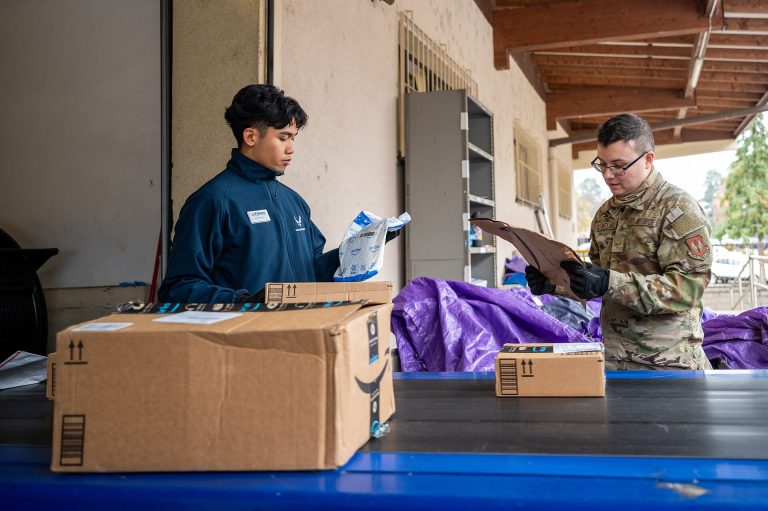
Featured photo: U.S. Air Force photo by Senior Airman Renan Arredondo, public domain, via Wikimedia Commons.
.jpg)