
Fix Out-of-Stock Product Pages Before You Lose the Sale
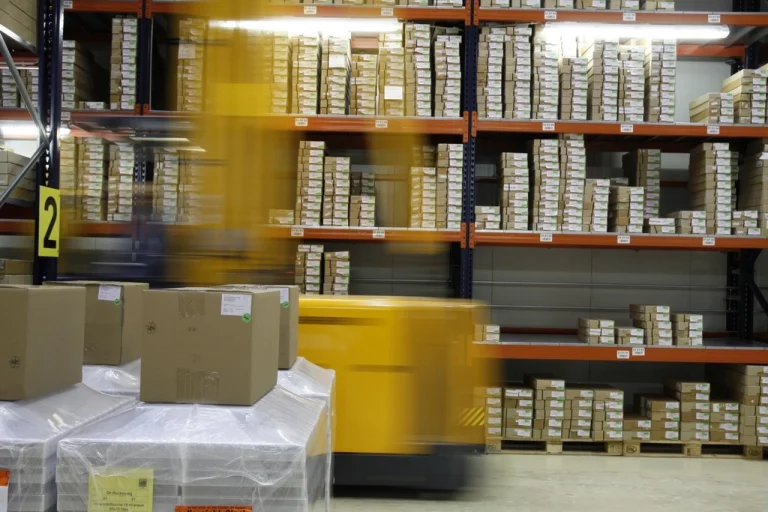
An out-of-stock product page is not a dead end unless you make it one. A shopper who reaches that page has already shown interest, and the next few options determine whether the visit becomes a future sale—or sends the customer to a competitor.
For retailers and distributors in Winchester, the Shenandoah Valley, and Northern Virginia, this matters especially when local inventory is limited or seasonal demand changes quickly. The practical goal is not to hide unavailable products. It is to give customers an honest, useful next step.
First, keep the product page useful
Deleting an unavailable product page can remove a URL that already earns search visibility, links, bookmarks, or repeat visits. Redirecting every unavailable item to a category page can also confuse shoppers who expected a specific product.
When the item may return, keep the page live and clearly label its status. Preserve the product name, photos, specifications, compatibility details, reviews, and helpful questions. Replace an unusable purchase button with a next action that matches what your business can actually deliver.
Offer the right next action for each stock situation
“Out of stock” can mean several different things. Your page should reflect the real situation:
- Temporary stockout: offer a back-in-stock notification and show a realistic availability estimate if one is known.
- Available at another location: show store-level inventory, pickup options, or a phone number with accurate business hours.
- Available by special order: explain the expected lead time, deposit rules, and how to request a quote.
- Replaced by a newer model: link directly to the true successor and explain the meaningful differences.
- Discontinued: say so plainly, then recommend compatible alternatives or the nearest current equivalent.
A generic “browse more products” link makes the shopper restart the search. A specific alternative keeps the original intent intact.
Make alternatives genuinely helpful
Related-product widgets often fail because they are based on popularity instead of suitability. For an unavailable item, alternatives should match the attributes that matter most: size, use case, compatibility, price range, material, color, capacity, or delivery window.
Start with three to five substitutes rather than a wall of recommendations. Add a short reason for each option, such as “same fit,” “lower-cost alternative,” or “available for pickup today.” If the product requires accessories, parts, or technical compatibility, verify those relationships before displaying them.
Treat restock alerts like a real sales workflow
A back-in-stock form is only useful if it works from signup through fulfillment. Test the entire path with an address your team controls:
- Submit the alert form on desktop and mobile.
- Confirm the request is recorded against the correct product or variant.
- Verify the shopper receives an immediate confirmation.
- Restock a test item and confirm the notification is sent once.
- Check that the email links to the correct available variant.
- Make sure unsubscribing is easy and privacy language is accurate.
Do not promise a date your inventory system cannot support. “Notify me when available” is better than an estimated date that changes silently.
Fix the inventory source before polishing the page
If the website regularly sells unavailable items or marks available inventory as unavailable, the page design is not the root problem. Review which system is authoritative for stock—the ecommerce platform, point-of-sale system, ERP, warehouse system, marketplace connector, or spreadsheet—and how often each channel synchronizes.
Check variants separately. A product may be available in one size or location while the parent page appears unavailable. Also review safety-stock rules, cancelled-order releases, returns, bundles, and delayed marketplace updates. Nexus Box’s inventory management solutions page explains how connected inventory and multichannel workflows can reduce these gaps.
Measure recovered demand, not just stockouts
Track what customers do after they encounter unavailable inventory. Useful measures include restock-alert signups, clicks to alternatives, special-order requests, store-inventory checks, and eventual purchases from those paths.
Review unavailable-product sessions alongside your product-feed errors. A feed can advertise the wrong availability even when the website page looks correct. The earlier Nexus Box guide to fixing product feed errors covers the channel side of that problem.
A low-burden Phase 1
You do not need a full replatform to improve this experience. Start with the 20 unavailable products that receive the most visits or have the strongest margins. For each one:
- Confirm whether it is temporary, special-order, replaced, or discontinued.
- Add one accurate next action.
- Select three verified alternatives.
- Test inventory status across the website, search, ads, and marketplaces.
- Assign an owner to review the page when availability changes.
This focused pass usually delivers more value than installing a complicated recommendation tool before the inventory data and operating process are dependable.
Turn a dead end into a useful decision
The best out-of-stock experience is clear, accurate, and easy to maintain. It respects the shopper’s original intent while giving your team a manageable workflow behind the page.
If unavailable products are creating customer-service issues or lost sales, Nexus Box can help audit the product-page experience, inventory integrations, and channel data, then prioritize a practical first phase without adding unnecessary operational overhead.
Featured photo: Rawpixel public-domain image, available under the CC0 1.0 public domain dedication.