
Fix Conflicting Business Hours Before They Cost You Leads
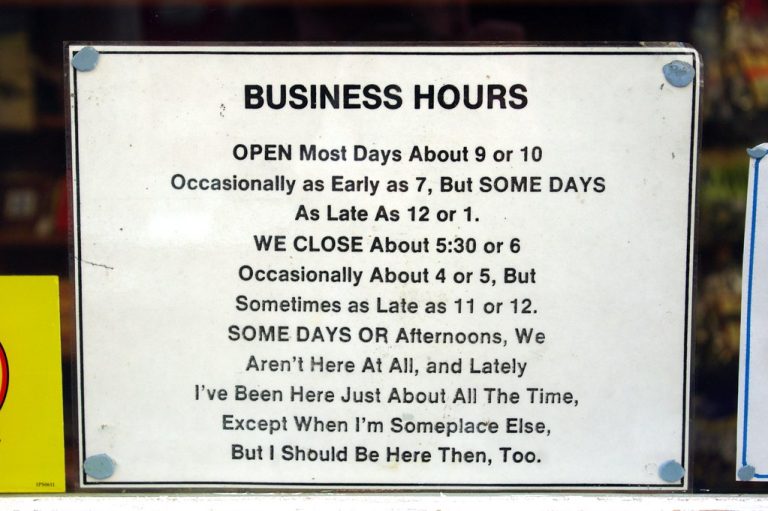
A customer checks your Google Business Profile, sees that you are open, and drives across town—only to find a locked door. Another visitor lands on your website after hours, sees no clear schedule, and calls a competitor instead. Conflicting business hours look like a small content problem, but they can create missed calls, wasted trips, poor reviews, and lost trust.
For restaurants, retailers, professional practices, nonprofits, and service companies around Winchester and Northern Virginia, hours often drift as schedules change. The fix does not require a redesign. It requires one reliable source of truth, a short update process, and a practical review of every place customers look.
Why conflicting hours cost more than a ranking
Accurate hours support local SEO because search platforms can present consistent information with more confidence. More importantly, they protect the customer experience. Someone checking your hours usually has strong intent: they want to visit, call, book, pick up an order, or confirm that help is available.
A mismatch introduces doubt at the moment a customer is ready to act. It can also create operational problems when staff answer repeated questions, manage avoidable complaints, or fulfill orders placed against an outdated pickup schedule.
Choose one source of truth
Start by deciding where the approved schedule lives. For a small organization, this can be a simple shared document or a field in an operations checklist. It should show:
- Regular hours for each real location
- Phone or support availability when it differs from lobby hours
- Appointment-only periods
- Pickup, delivery, kitchen, pharmacy, or service-desk cutoffs
- Holiday and temporary closures
- The person responsible for approving and publishing changes
The goal is not complicated software. It is eliminating the question, “Which schedule is correct?” When a manager changes the source of truth, the same owner should update every customer-facing channel.
Run a 20-minute business-hours audit
Search for your business the way a customer would, using a private browser window and a phone. Review these locations in order:
- Google Business Profile: Check regular and special hours for every listing. Confirm that departments or practitioners do not have duplicate profiles with different schedules.
- Website: Check the header, footer, contact page, location pages, booking flow, checkout or pickup instructions, FAQ, and any announcement bar.
- Structured data: Ask the person maintaining your site to confirm that LocalBusiness or Organization schema does not contain an older schedule hidden from visitors.
- Other listings: Review Apple Maps, Bing Places, Yelp, Facebook, industry directories, chamber listings, and delivery or reservation platforms that matter to your business.
- Customer actions: Call the main number, open the booking tool, and test the pickup or reservation path. A correct schedule does not help if the next action routes to the wrong team.
If you find broader differences between your listings and website, use our website and Google Business Profile alignment review to check phone numbers, services, locations, and customer actions together.
Handle special hours before customers ask
Holiday schedules, weather closures, staff training, private events, seasonal operations, and construction can all create temporary changes. Publish special hours before the change begins, then set a reminder to remove temporary notices afterward.
Do not rely on a social media post alone. Existing followers may see it, but a new customer arriving from Search, Maps, an ad, or a referral may not. Update the listing and the website page that supports the visit. If your Google profile sends visitors to a specific landing page, our guide to choosing the right Google Business Profile website link explains how to make that click useful.
Make the update process easy enough to use
A lightweight Phase 1 is usually enough:
- Name one schedule owner and one backup.
- Keep a checklist of every channel that displays hours.
- Update Google and the website first, then secondary listings.
- Verify the public result from a phone after saving.
- Review hours quarterly and before every major holiday or seasonal change.
Multi-location businesses should repeat the checklist for each location rather than assuming one update applies everywhere. Ecommerce businesses with local pickup should also verify order cutoffs, pickup windows, confirmation emails, and storefront hours as one connected experience.
Fix the facts before buying more traffic
Paid ads, local SEO, and content campaigns work better when the basic customer path is dependable. Before spending more to attract nearby buyers, make sure they can tell when you are available and what to do next.
Nexus Box helps businesses identify and fix these practical website and local-search gaps without turning every improvement into a major project. Start with one source of truth and one 20-minute audit. Accurate hours are a small fix that protects real customer relationships.
Featured photo: “Business Hours” by madnzany (Edward Webb), licensed under CC BY 2.0.